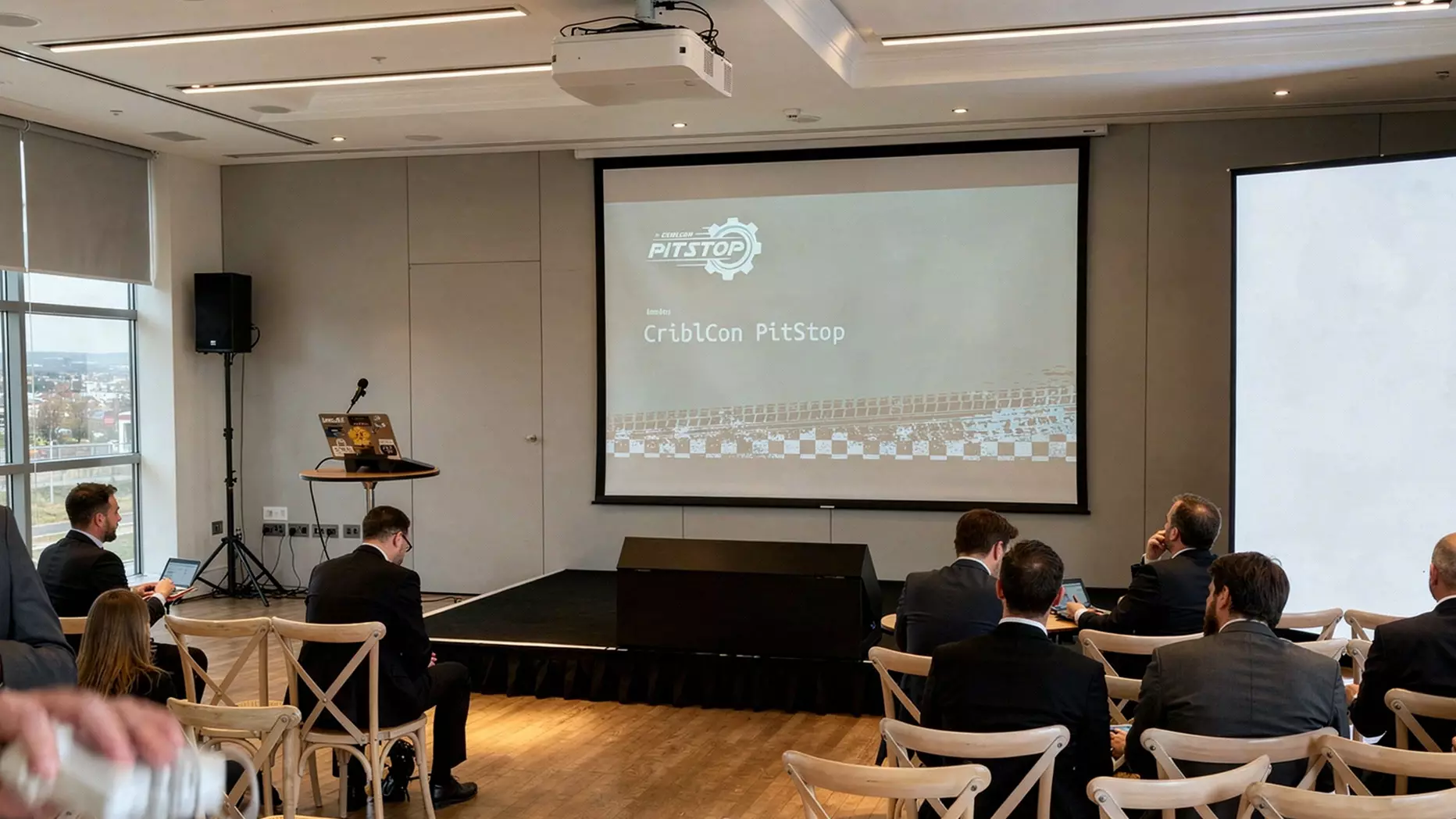
To pick the ideal projector screen size for your space, start with the person sitting furthest from the screen, not the wall you want to fill. A simple AV rule is the 4/6/8 rule: use screen height × 4 for detailed content, × 6 for normal presentations, and × 8 for passive video. After that, check the screen shape, projector throw distance, ceiling height, and room lighting before you confirm the final setup.
Choosing projector screen size sounds simple until you are standing in the venue. The room may look large enough. The projector may seem powerful enough. The slides may look sharp on a laptop. Then the event starts, and people at the back cannot read the numbers, the front row feels too close, or the room lighting washes the image out.
In most cases, that is not just a projector issue. It is a sizing issue.
For corporate meetings, training sessions, conferences, exhibitions, and internal presentations, the right screen size depends on five things: viewing distance, content detail, aspect ratio, throw distance, and room conditions. When those five things work together, the screen supports the message. When they do not, even good content can feel weak in the room.
What Does “Projector Screen Size” Actually Mean?
Before diving into the numbers, let’s clear up a common point of confusion.
Projector screens are measured diagonally, just like televisions. So when someone says “100-inch screen,” they mean the diagonal size of the visible image area. But diagonal size alone is not enough when you are planning a real event.
You also need to know the true width, height, and the total installed size once the frame or casing is included.
That matters because a screen can seem perfect on paper and still be wrong for the wall, stage, or room layout.
A wide screen may technically fit the space, but still leave poor sightlines, awkward placement, or not enough room for branding, speakers, or stage furniture.
The right question is not only “how big is the screen?” but also “how will this screen sit within the full room setup?”
The Right Screen Size Starts With The Last Row, Not The Wall
A lot of people begin by looking at the wall and asking, “How big can we go?” That sounds logical, but it is the wrong place to start.
The better question is: What does the person furthest away need to see clearly?
This changes the decision in a very practical way. A board meeting with dashboards, spreadsheets, and financial figures needs a larger, more readable image than a keynote built around short headlines, speaker support visuals, or brand video.
A screen that works for a promotional video may not work for a room full of people trying to read charts, data, or product specifications.
That is why the best projector screen size is not always the biggest screen you can fit. It is the one that helps the full audience see the content properly without strain.
The 4/6/8 Rule For Quick Understanding
The 4/6/8 rule is one of the easiest ways to size a projector screen:
- 4 × screen height for detailed content.
- 6 × screen height for standard presentations.
- 8 × screen height for passive video.
So if the person in the last row is sitting 9 metres from the screen, the calculation looks like this:
- Detailed content: 9 ÷ 4 = 2.25 m screen height.
- Standard slides: 9 ÷ 6 = 1.5 m screen height.
- Passive video: 9 ÷ 8 = 1.125 m screen height.
For a 16:9 screen, the width is about 1.78 times the height, and the diagonal is about 2.04 times the height. So a 1.5 m tall 16:9 image is about 2.67 m wide and close to 120 inches diagonal.
That is why a 120-inch screen often works well for a normal presentation in a medium-sized room, but may still feel too small if the audience needs to read dense spreadsheets or technical diagrams.
Match The Right Screen Shape As Well As The Right Size
Screen size is not only about diagonal inches. The shape of the screen matters just as much.
The most common projector aspect ratios are 4:3, 16:10, and 16:9. The best choice is to match the screen to the source content rather than forcing the content to fit the screen. For most use cases, here is the easiest way to think about it:
- 16:10 Works Very Well For Business Presentations
For many business presentations, 16:10 is a strong choice. It works well for laptop-based content, slides, dashboards, documents, and spreadsheets because it gives a little more vertical space. That can make business content easier to display clearly.
- 16:9 Is Strong For Video-Led Content
16:9 is the most common choice for modern event visuals. It suits PowerPoint presentations, branded video, keynote visuals, HD content, live streams, and hybrid event backdrops. If your event includes a mix of presentation slides and video, 16:9 is often the safest option.
- 4:3 Is Mainly For Legacy Formats
4:3 is mostly used for older formats. You may still come across it in legacy slide decks or older systems, but it is no longer the standard for most modern business events. If your presentation was built in 4:3, it is worth checking before choosing a widescreen setup. Otherwise, the image may not fill the screen properly.
- 21:9 Matters In Some Hybrid Meeting Rooms
In some hybrid meeting spaces, 21:9 can also be relevant. This wider format can work well in rooms designed for collaboration, where the screen may need to show presentation content alongside participant video and meeting tools at the same time.
Do not choose the screen shape as an afterthought. A screen can be the right size and still feel wrong if the format does not suit the content. When the aspect ratio matches the material you are showing, the whole setup looks cleaner, more professional, and easier for the audience to follow.
| Helpful to know: Once you’ve locked in the right aspect ratio and screen size, the next step is aligning your projector precisely to that screen. Misalignment, even by a few degrees, can produce trapezoidal distortion and washed-out edges. That’s why setting up a projector screen professionally matters a lot. |
Check Throw Distance Before You Commit To A Screen Size
A screen might be right for the audience and still be wrong for the projector.
This matters a lot in meeting rooms and event spaces where the projector cannot be placed far back. Short-throw projectors create large images from much shorter distances than standard-throw models, while ultra-short-throw models can sit only inches from the screen.
That makes them useful in tighter spaces, and it also helps reduce shadowing and presenter interference.
So before you approve a screen size, you should always check:
- Projector throw ratio.
- Projector mounting position.
- Presenter position.
- Audience walkways.
- Cable and power routes.
If you ignore these, the setup may work on paper but fail in the room.
Ceiling Height Can Quietly Ruin A Good Plan
A lot of screen decisions focus only on width and diagonal size. That is a mistake. The room height matters too.
If the screen sits too high, people in the front row spend the event looking upward. If it sits too low, sightlines suffer, and the setup can clash with staging, branding, or furniture. In rooms with limited ceiling height, even a correctly sized screen can become awkward once you add the full frame, rigging, or support structure.
This is why a screen must fit the room vertically as well as horizontally. Good screen planning always includes viewing comfort, sightlines, and the full event setup, not just the visible image area.
Ambient Light Changes Everything
Projection performs best when lighting is controlled, while LED keeps its impact more easily in bright environments. If your venue has:
- Large windows.
- Mixed daylight.
- House lights that must stay on.
- People moving close to the image path.
- Wide off-centre seating.
Then screen size alone will not solve the problem. You also need the right screen material, the right projector brightness, and sometimes a different display technology.
Projector Screen Size By Common UK Event Space
The right projector screen size can change a lot depending on the type of event and the venue layout. A training room needs a very different setup from a product launch or awards night. Audience distance, content type, room lighting, and the level of visual impact all affect what size screen will work best.
The table below gives a practical starting point for common UK event spaces.
| Event Space | Recommended Screen Size | Viewing Distance | Best For | Key Things to Keep in Mind |
| Corporate Conference Room (30–80 delegates) | 100″–140″ diagonal | 5m–8m | Presentations, slides, meetings, internal conferences | A short-throw or mid-range setup often works well here. Keep ceiling height in mind, as standard commercial ceilings of around 2.8–3m can limit how high the screen can be placed while keeping comfortable sightlines. |
| Exhibition Hall or Trade Show Stand | 120″–200″ diagonal | 6m–15m | Brand visuals, promotional content, looping videos | Exhibition spaces are usually bright and busy. Natural light, skylights, and overhead venue lighting can make the projection look washed out, so screen brightness and visibility become a bigger concern. |
| Awards Ceremony or Gala Dinner | 150″–250″ diagonal | 8m–20m | Live speaker support, IMAG, stage visuals, video packages | These events often use twin screens on either side of the stage. In this setup, the total number of screens and their placement matter just as much as the size of each screen. |
| Product Launch | 150″–300″+ diagonal | 6m–20m | High-impact visuals, branded video, keynote content | Product launches usually need strong, vivid visuals. If the venue has stage lighting, spotlights, or general ambient light, projection can struggle, so the display choice needs careful planning. |
| Training Room or Classroom-Style Setup | 80″–120″ diagonal | 3m–7m | Data, diagrams, text-heavy slides, teaching content | These spaces often need a more readable image rather than a dramatic one. If the content includes fine text or detailed diagrams, size the screen with readability as the main priority. |
Common Mistakes That Lead To The Wrong Screen Size
The same problems come up again and again.
- Mistake 1: Choosing Screen Size Based On Budget, Not Room Size:
A cheaper, smaller screen in a large room is a false economy. Your audience will struggle to see your content, and your brand will look underprepared.
- Mistake 2: Ignoring Ambient Light:
Not accounting for the lighting conditions in the venue is one of the most common AV mistakes. Always confirm whether the room can be darkened, and to what degree.
- Mistake 3: Mismatching Aspect Ratio With Content:
Check what format your presentations, videos, and graphics are designed in. Forcing 4:3 content onto a 16:9 screen (or vice versa) creates distracting black bars.
- Mistake 4: Assuming Bigger Is Always Better:
A screen that is too large for the audience-to-screen distance forces viewers in the front rows to strain. It can also expose pixel limitations in lower-resolution projectors when the image is stretched across a very large surface.
- Mistake 5: Not Accounting For The Projector’s Throw Limitations:
Many in-venue or hired projectors have a fixed throw ratio. If the room doesn’t allow the correct throw distance for the screen size you want, image quality will suffer.
- Mistake 6: Forgetting About Rigging And Mounting Logistics:
Large screens require professional rigging. Always confirm ceiling load limits, available anchor points, and whether the venue permits overhead rigging. Factor in set-up and breakdown time.
A Better Way To Choose Projector Screen Size For A Business Space
If you want a simple process, use this order:
- Measure the distance to the furthest viewer.
- Decide whether people are reading detailed content, standard slides, or mostly watching videos.
- Use the 4/6/8 rule to estimate the image height you need.
- Match the screen shape to the content source: usually 16:10 or 16:9 for business spaces.
- Check throw distance, projector position, and presenter position.
- Confirm ceiling height and total screen dimensions, not just image size.
- Check light levels. If the room is bright or awkward, test whether projection is still the right tool.
Final Thought
The ideal projector screen size is not the biggest screen you can fit into the room. It is the size that lets people see the message clearly, comfortably, and without strain.
That usually means starting with the audience, then checking the content, the screen shape, the projector position, and the light in the room. In some spaces, that process leads to a projector screen. In others, especially bright or high-impact event spaces, it leads to a different display solution. The key is to size the screen around how the room will actually work, not how the spec sheet looks in isolation.
Ready To Get The Right Screen For Your Next Event?
At LED Video Wall-Hire services , we’ve been delivering premium AV screen solutions for UK corporate events for over 10 years. Our team of audiovisual specialists will help you choose the right screen size, type, and setup for your specific venue and handle delivery, installation, and on-site technical support so you can focus on running your event.
Whether you need projector screen hire or a fully modular LED video wall, we’ve got you covered across London and the UK. Call us at 0207 177 4075 and get a free quote.
FAQs
What Size Projector Screen Is Best For A Meeting Room?
The best size depends on the last-row distance and the amount of detail people need to read. Start with the 4/6/8 rule, then check the screen shape and room lighting before choosing the final size.
Is Renting A Projector Screen Better Than Buying One?
Renting is often better for events because it gives you flexibility. You can choose the screen size that suits each venue instead of trying to make one permanent screen work in every space.
How Do I Know If My Rented Projector Screen Will Fit The Venue?
You need to check more than the diagonal size. The screen must suit the room width, ceiling height, seating layout, and projector position. A good hire company should help confirm all of this before the event.
How Far Should People Sit From A Projector Screen?
A practical starting point is to use screen height as the guide. Use up to 4 times the height for detailed content, 6 times for standard slides, and 8 times for passive video.
Does Room Lighting Affect Screen Size Choice?
Yes. Bright rooms often need more projector brightness, better light control, or a different display option because ambient light can reduce readability.
Should I Ask The Hire Company To Choose The Screen Size?
Yes. If you are renting for a conference, exhibition, meeting, or launch event, a hire company such as LED Video Wall Hire can recommend a screen size based on your venue and event space, rather than simply offering a standard size without context.
