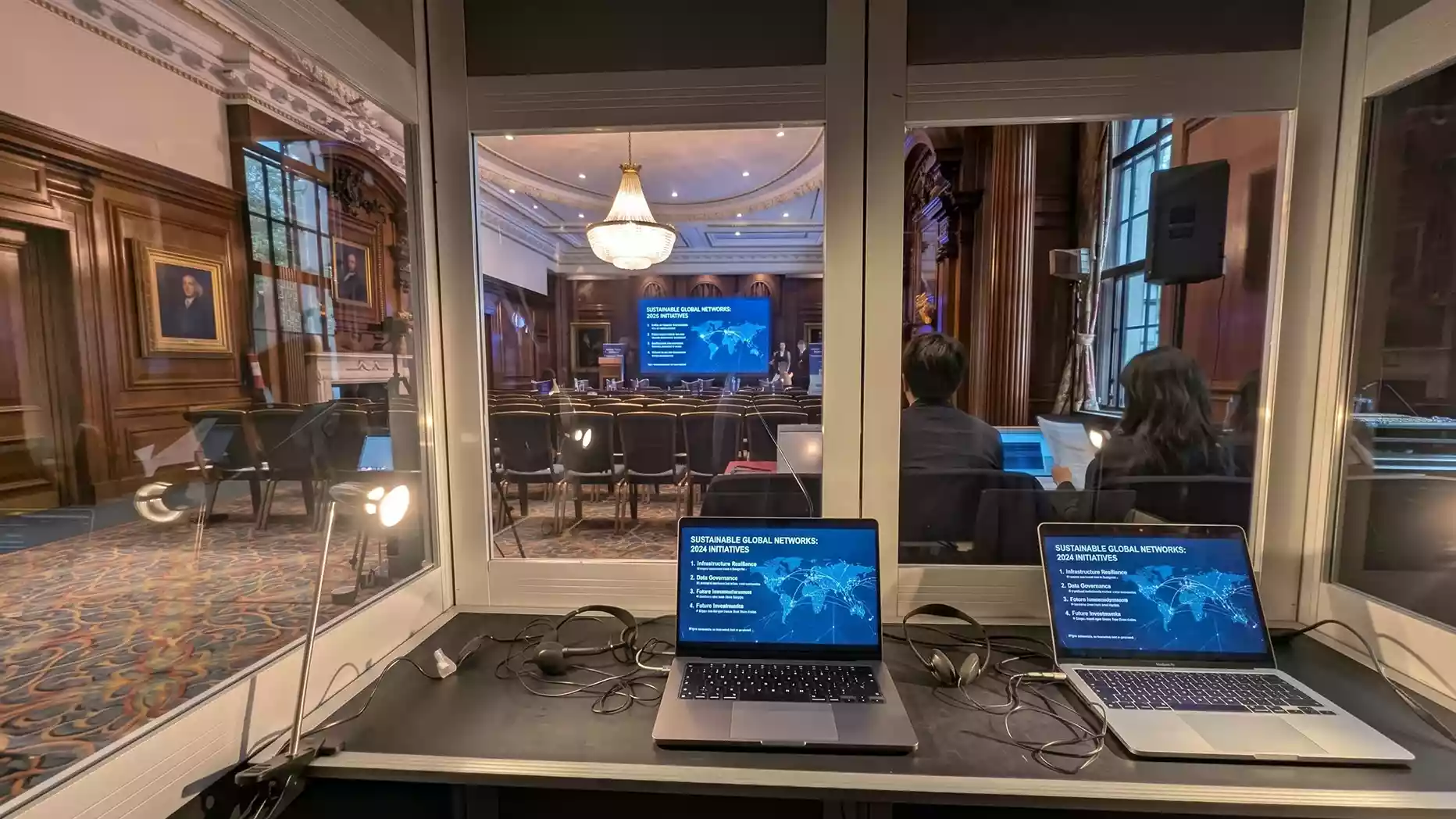
For conference organisers, the key issue is understanding where installation ends and live operation begins. A technician booked only for setup may leave once the LED wall has been commissioned, while an onsite video technician retained for live operation remains available for presentations, playback, camera feeds and session changes. Technician responsibilities, rehearsal time, operating hours and source-switching duties should therefore be agreed before event day.
An onsite LED video wall technician manages the display-side operation of a conference video system. They configure the LED processor, verify signal routing and screen mapping, test incoming sources, monitor live output and isolate LED display or signal-path faults.
One of the most common misunderstandings around conference LED walls is not how the screen works. It is who takes responsibility for it after the conference begins.
An installation crew can assemble and commission the display, but a live conference introduces a different set of technical demands. Presenter laptops may change between sessions. Videos need to start on cue. Camera feeds may switch between sessions. Remote contributors need to appear on screen. Content can arrive late. Signal paths can fail.
At that point, the LED wall becomes an active display endpoint within the conference video system.
From load-in onwards, the LED technician prepares the display-side system for rehearsal and live use according to the agreed technical scope. Where full-show technical cover is booked, their role may continue through rehearsal, live sessions and event shutdown.
Where Does the LED Technician Fit Into a Conference Video System?
The LED technician is primarily responsible for the display-side processing, configuration and output of the conference video chain.
A basic setup may follow this path:
Presentation Source → Video Switching or Processing → LED Processor → LED Display
A larger conference may involve presentation laptops, media servers, live camera feeds and remote contributor feeds entering a central video system before selected outputs are sent to the LED wall.
The LED technician does not necessarily control every source in that chain.
A presentation operator may manage PowerPoint or Keynote decks. A vision mixer operator may select between camera feeds. A playback operator may run pre-recorded videos. The LED technician verifies that the selected programme feed is correctly processed, mapped and displayed across the LED canvas.
On smaller conferences, one experienced video technician may perform several of these jobs. Larger productions usually separate responsibilities.
This is why a technical brief should define what each person will handle rather than simply stating that an “AV technician” will be on site.
What Happens Before the LED Wall Is Ready for Content?
Before content testing begins, the technician commissions the LED wall according to its final physical configuration.
An LED wall is made up of individual cabinets or panels connected to form a single display surface. Once installed, the technician confirms that the processor configuration matches the physical cabinet layout and total pixel canvas.
This work can include:
- Verifying cabinet mapping and receiver configuration where required.
- Confirming LED data paths between the controller and display cabinets.
- Configuring processor outputs.
- Mapping the physical LED wall to the digital canvas.
- Confirming the final screen dimensions.
- Verifying the processor configuration.
- Confirming that each section of the wall is receiving the correct mapped output.
A wide conference backdrop, for example, may use a very different pixel canvas from a standard 16:9 display.
That affects how presentations, videos and camera feeds need to be scaled and positioned.
At this stage, the technician establishes the processing and mapping configuration that all later video sources will use.
Organisers can reduce delays by providing accurate venue, screen and content information before load-in.
What Is LED Screen Mapping?
Screen mapping assigns the physical LED pixels to their correct positions within the processor’s digital output canvas.
This becomes particularly important when the display does not use a conventional television format.
A panoramic conference backdrop may contain far more pixels horizontally than vertically. If standard presentation content is sent to that canvas without proper planning, it may appear with unused areas, incorrect scaling or cropped graphics.
Screen mapping can involve:
- Defining the total output dimensions.
- Positioning the LED canvas.
- Assigning processor outputs.
- Matching physical sections of the wall to the correct data output.
- Creating screen destinations.
- Checking how content fills the available pixels.
Once mapping is confirmed, presentation and video sources can be positioned correctly within the LED canvas.
What Does the Technician Check When Connecting Conference Sources?
Once the LED wall has been commissioned, attention moves upstream to the content sources.
Conference video rarely comes from one device from start to finish.
A single event may switch between:
- PowerPoint presentations.
- Keynote presentations.
- Sponsor graphics.
- Holding slides.
- Pre-recorded videos.
- Live camera feeds.
- Remote presenter feeds.
- Q&A graphics.
- Countdowns.
- Session title screens.
The technician verifies that each source assigned to the LED display reaches the processing system and appears correctly on the wall.
Source verification typically covers:
- Input resolution.
- Aspect ratio.
- Frame rate.
- Interface or connector type.
- Signal format.
- Processor compatibility.
- Processor input assignment.
- Scaling behaviour.
- Final LED output.
- EDID negotiation or HDCP restrictions where applicable.
The key technical question is:
Does the selected source appear correctly on the intended screen?
Guest laptops introduce additional variables into the signal chain. Presenters may arrive with different devices, adapters and display configurations.
A laptop that outputs correctly to a standard monitor may still require additional checks when connected to professional switching and processing equipment.
For keynote sessions and other important presentations, using pre-tested presentation machines and prepared backup sources reduces reliance on unfamiliar presenter devices immediately before a session.
Why Does Content Resolution Matter on an LED Wall?
Content resolution and aspect ratio affect how presentations, graphics and video fit within the available LED canvas.
A standard 1920 × 1080 presentation is designed for a 16:9 screen.
A custom LED backdrop may use a much wider aspect ratio.
When the content canvas and LED canvas do not match, the video team may need to scale, crop or reposition material before it can be displayed correctly.
This is particularly important for:
- Keynote presentations.
- Branded backgrounds.
- Sponsor layouts.
- Full-screen videos.
- Camera windows.
- Multi-source layouts.
A mismatch does not necessarily indicate a fault with the LED wall. It may simply mean that the source content was designed for different screen dimensions.
For custom LED displays, the correct pixel dimensions should ideally be supplied to the content team before final graphics are produced.
What Does the Technician Do During Technical Rehearsal?
Technical rehearsal confirms that planned source changes, screen states and video cues work correctly before the conference opens, including presentations, playback and camera feeds.
A conference sequence might look like:
Holding Graphic → Opening Video → Presenter Title → Keynote Presentation → Video Playback → IMAG Camera Feed → Q&A Layout → Session Change Graphic
The technician monitors the LED output while these transitions are tested.
Rehearsal can identify problems with:
- Source scaling.
- Screen presets.
- Playback routing.
- Content positioning.
- Camera feeds.
- Remote contributor feeds.
- Transition timing.
- Backup inputs.
It also establishes how technical cues will be communicated.
On larger conferences, the show caller may cue video changes over comms. This gives the LED and video team a defined point at which to execute each source or screen-state change.
For example:
“Stand By Video.”
Followed by:
“Go Video.”
The assigned operator then executes the required screen or source change according to the agreed cue. Clear cues reduce uncertainty during live screen changes.
What Does the Technician Actually Do During the Live Conference?
Once the conference is live, the technician’s focus shifts from commissioning and rehearsal to system monitoring and live operation.
Their exact workload depends on how responsibilities have been divided between the video crew.
| Conference Stage | LED Technician Responsibility | Main Technical Check |
| Audience Entry | Maintain approved holding content. | Correct source and full-screen output. |
| Opening Sequence | Recall the approved opening screen preset. | Correct video or graphics source. |
| Keynote | Monitor presentation output. | Stable signal and correct scaling. |
| Video Playback | Verify playback feed. | Correct source and screen mapping. |
| Panel Session | Recall or maintain the required screen layout. | Camera, graphic or presentation feed. |
| Remote Presenter | Monitor incoming remote feed. | Correct processor input and output. |
| Q&A | Follow show cues. | Correct camera or branded graphic. |
| Session Change | Recall planned screen state. | Correct holding or session title. |
| Conference Close | Maintain closing content. | Correct final display state. |
Not every conference requires constant manual switching.
During a long keynote, the technician may make few direct changes to the LED system but continues to monitor the incoming signal, processor status, and final screen output.
During quieter sessions, the technician continues to monitor signal stability and respond quickly if the signal path or LED display develops a fault.
What Is the Technician Monitoring During the Conference?
The technician monitors signal integrity, processor status, screen mapping and the final LED output rather than simply watching the presentation.
| Technical Area | What the Technician Checks |
| Input Signal | The selected presentation, playback or camera feed remains available. |
| Processor Status | The intended source is reaching the correct screen destination. |
| Screen Mapping | Content remains positioned within the correct pixel canvas. |
| LED Output | All sections of the wall are displaying the intended image. |
| Source Selection | The correct feed is active for the current session. |
| Image Scaling | Presentation and video content remain correctly positioned and sized. |
| Signal Integrity | Connections remain stable, with no intermittent picture loss. |
| Backup Path | The agreed standby source remains available if the primary source fails. |
Where IMAG is used, the technician may also check that the LED output remains suitable for the live camera workflow.
What Happens When a Presentation Disappears From the Screen?
The technician isolates the fault by working through the video signal chain in a logical order.
A complete loss of picture does not automatically mean the LED display itself has failed. Consider this path:
Presentation Laptop → Adapter or Interface → Signal Cable → Switcher or Processor → LED Controller Output → Receiving System → LED Cabinets
A fault at any point in that chain can interrupt the final screen output.
Suppose a keynote presentation suddenly disappears.
If another processor source can still be displayed correctly across the entire LED wall, the technician knows that much of the downstream LED system is still operating.
The technician can then narrow the fault to the upstream source or input path, including:
- The presentation laptop.
- The adapter or interface.
- The input cable.
- The switcher input.
- The source configuration.
This process is known as fault isolation.
The aim is to identify the exact point in the chain where the known-good signal is lost.
That is more effective than making unrelated changes across the complete video system.
What If Only One Section of the LED Wall Fails?
A partial display failure points to a different technical issue than a complete loss of picture. If most of the wall remains active, the technician can usually rule out a complete source failure or total display failure and focus on the affected section.
Possible checks may include:
- Local data connection.
- Receiving card or cabinet electronics, depending on the LED system.
- Cabinet power.
- Processor output assignment.
- LED cabinet condition.
- Individual LED modules.
Where rear or front service access is available, defective hardware may sometimes be replaced without dismantling the entire wall.
The exact response depends on the display model, configuration and physical access.
The objective is to isolate the affected section without interrupting functioning areas of the wall where possible.
What Does Failover Mean During a Conference?
Failover is the planned transition from a failed primary source or signal path to a tested backup. This matters most when the LED wall displays content essential to the conference.
Possible backup measures include:
- A secondary presentation laptop.
- A backup playback source with duplicated media files.
- A backup video input.
- A spare signal cable.
- A replacement adapter.
- A spare LED panel.
- Spare processing hardware.
- A standby holding graphic.
A backup is useful only when the source, switching method and responsible operator have been tested before the event.
The technical team should know:
- What can fail?
- What backup will replace it?
- How will that backup be selected?
- Who is responsible for making the change?
If those questions are answered only after a fault occurs, recovery takes longer.
How Does the LED Technician Work With the Show Caller?
The show caller manages the running order and cues, while the LED technician or assigned video operator carries out the display-related actions within their scope.
This separation keeps conference production organised.
The show caller may coordinate departments such as:
- Video.
- Audio.
- Lighting.
- Stage management.
- Presentation.
- Playback.
The LED technician needs to understand which screen state is required at each relevant cue.
For example, a keynote session may need to move from presentation slides to a live camera feed after the final slide.
The show caller determines when that transition should happen.
The assigned video operator executes the planned source transition at the show caller’s cue.
Clear cueing reduces early source changes, delayed transitions and assumptions based only on activity on stage.
What Is the Difference Between an LED Technician, Presentation Operator and Vision Mixer?
These roles work closely together but focus on different parts of the video system.
LED Technician
Focuses on:
- LED screen configuration.
- Processor outputs.
- Screen mapping.
- LED data paths.
- Display monitoring.
- LED fault diagnosis.
Presentation Operator
Focuses on:
- PowerPoint decks.
- Keynote files.
- Presenter presentations.
- Slide advancement.
- Presentation playback.
Vision Mixer Operator
Focuses on switching between:
- Live camera feeds.
- Presentations.
- Playback sources.
- Remote contributors.
- Graphics.
A larger conference may use all three roles.
For example, the presentation operator supplies the keynote slides. The vision mixer selects between those slides and live camera feeds. The selected video feed is then sent to the LED processing system for display on the main wall.
At smaller events, several responsibilities may be handled by a single experienced video technician.
For production planning, assigned responsibilities matter more than job titles alone.
What Is IMAG and How Does It Relate to the LED Wall?
IMAG, or image magnification, uses live camera feeds on venue screens to give the audience a clearer view of presenters, panellists and stage activity.
The camera crew captures the images, while the vision mixer selects or combines the required camera feeds.
The selected camera feed is then routed through the video system and mapped to the required LED screen destination.
On a standard 16:9 screen, the camera feed may fill the entire display.
On a panoramic conference backdrop, the IMAG feed may occupy only one section of the LED canvas alongside branded graphics or session information.
That requires the processor layout and screen design to be planned and tested before the live session.
When Is Full-Show LED Technical Cover Most Useful?
Full-show technical cover becomes more important as the LED wall becomes more closely integrated with the live conference. A screen displaying one static sponsor graphic usually requires less live operation than a wall receiving several changing sources.
A main-stage wall showing keynote slides, live camera feeds, videos, session graphics and remote presenter feeds has far more technical dependencies.
Full-event technical cover is more appropriate when the conference includes:
- Several presenters.
- Multiple presentation sources.
- Guest laptops.
- Live camera feeds.
- IMAG.
- Video playback.
- Remote contributors.
- Hybrid-event feeds.
- Custom LED dimensions.
- Frequent session changes.
- High-profile keynote presentations.
Screen size alone should not determine the level of onsite technical support.
A better question is:
What Happens to the Conference if the LED Wall or Its Video Feed Becomes Unavailable?
If the failure would interrupt a keynote, remove essential presentation material or affect the audience’s view of the stage, the LED system requires more active technical management.
The separate article on why skilled technicians matter for LED video wall installations covers the physical installation side in greater detail.
What Should Conference Organisers Confirm Before Event Day?
Conference organisers should define the technician’s responsibilities before finalising the technical schedule.
The team should know:
- Who manages presenter decks.
- Who runs video playback.
- Who switches camera feeds.
- Who controls the LED processor.
- Who receives show cues.
- Who manages remote contributors.
- Who responds to LED faults.
- Who controls backup sources.
The LED technician should also have access to:
- The latest running order.
- Presenter schedule.
- Presentation files.
- Video assets.
- Stage plan.
- Screen specification.
- Rehearsal times.
- Source list.
- Venue technical contact.
- Load-in schedule.
It is also important to clarify how presenters will connect:
- Will every presenter use a central show laptop?
- Will guest laptops be permitted?
- Who advances slides?
- Will videos run from presentations or from a separate playback system?
- Will camera feeds appear on the LED wall?
- What should remain visible between sessions?
These questions clarify exactly what the onsite technician is expected to manage.
Electrical planning should also be completed against the actual screen configuration and venue supply. The guide on power requirements for LED video walls covers that subject separately.
Common Conference LED Operation Mistakes
- No Defined Source and Signal Routing Plan
The technical crew should know where every presentation, playback, camera and remote source enters the video system and where it needs to be displayed.
- No Technical Rehearsal
Testing each device individually does not prove that changes to the live source will work correctly.
- Last-Minute Presentation Files
Late files leave less time to check embedded videos, scaling, formatting and source compatibility.
- Unexpected Guest Laptops
Unplanned devices can introduce new adapters, output resolutions and signal-handshake issues.
- No Approved Standby Screen State
A prepared holding screen gives the video team an approved display state between sessions or while another source is being checked.
- No Tested Backup Source
A spare laptop is only useful if it has already been connected and tested with the production system.
- Unclear Cue Responsibility
The LED technician should know exactly who is authorised to request screen changes during the live event.
- Booking Installation Support Without Live Technical Cover
Installation and commissioning may not include live operation, so full-show technical cover should be confirmed in the agreed scope.
Conclusion
An onsite LED video wall technician plays a critical role once the display becomes part of a live conference video system. Their responsibilities can include processor configuration, screen mapping, source verification, cue execution, live monitoring, failover and fault isolation.
For conference organisers, the key is to define those responsibilities before load-in. Presentation control, video switching, playback, LED processing and technical fault response may be handled by different crew members, so each role should be clear before rehearsal begins.
A well-planned technical setup gives the LED team enough time to test sources, confirm backup paths and prepare the screen states required for each session.
If you are planning a conference that depends on presentations, live camera feeds, remote contributors or video playback, LED Video Wall Hire can help you plan the screen setup and onsite technical requirements. Call 0207 177 4075 or request a no-obligation quote to discuss your conference requirements.
FAQs
What Does an Onsite LED Video Wall Technician Do?
An onsite LED video wall technician manages the LED display side of the conference video system. Their work can include processor configuration, screen mapping, source verification, live output monitoring and LED display or signal-path fault diagnosis. The exact responsibilities depend on how presentation, playback and video duties are divided across the technical crew.
Does the LED Technician Control PowerPoint?
Not necessarily. A presentation operator may manage PowerPoint or Keynote while the LED technician concentrates on processor configuration, screen mapping and display performance. Smaller conferences sometimes combine both responsibilities under one experienced video technician.
What Is Screen Mapping on an LED Wall?
Screen mapping assigns the physical LED pixels to their correct positions within the processor’s digital output canvas. It allows presentations, graphics and live video to be positioned accurately across standard or custom-format LED displays.
What Happens if a Presenter’s Laptop Stops Working?
The technical team first isolates the failed source. If a tested backup laptop or alternative processor input has already been prepared, the presentation can switch to that source without changing the complete LED configuration.
Does Every Conference Need a Dedicated LED Technician?
No. The requirement depends on how the LED wall is being used. A static display has fewer technical demands than a main-stage wall receiving presentations, live camera feeds, videos and remote contributor feeds during live sessions.
Is an LED Technician the Same as a Vision Mixer Operator?
Not always. A vision mixer operator selects between cameras and other video sources. An LED technician focuses more specifically on the display, processing output, screen mapping and LED-side fault diagnosis. Smaller events may combine both responsibilities.
What Should Be Tested During Conference Rehearsal?
Rehearsal should test the source changes expected during the event, including keynote presentations, video playback, camera feeds, remote contributors, screen layouts, holding states and planned backup sources.
