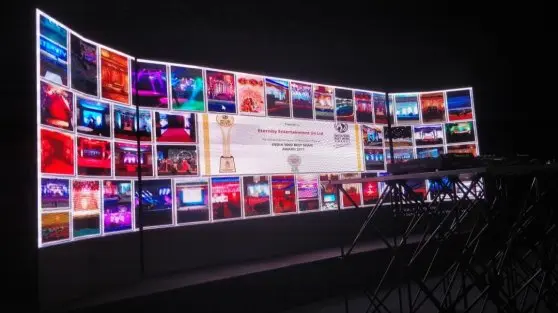
An LED video wall done right can completely transform how your audience experiences your brand, event, or space. Done wrong? It can be an expensive distraction.
Whether you’re exploring LED video wall hire for a one-off event or thinking about a permanent installation, this guide walks you through every key decision, from pixel pitch to mounting systems, so you get it right the first time.
Let’s get into it.
1. Start With Your Goals, Not the Hardware
Before you even look at screen specs, you need a clear answer to one question: what do you actually want this LED video wall to do?
It sounds obvious, but a lot of people skip this step and end up with a wall that’s technically impressive but not aligned with its purpose. Ask yourself:
- Are you trying to drive footfall and grab attention (retail, exhibitions)?
- Do you need to broadcast live feeds or presentations (corporate events, conferences)?
- Is this about brand immersion and atmosphere (product launches, concerts)?
- Or are you simply trying to relay real-time information (airports, control rooms)?
Your goal shapes everything: the resolution you need, the size, the brightness, and whether LED video wall rental makes more financial sense than buying outright.
| 💡 Pro Tip: Renting an LED video wall is almost always the smarter choice for one-off events. You get access to the latest panels without capital outlay, and a specialist hire company handles logistics, setup, and technical support. |
2. Indoor vs. Outdoor LED Video Wall: Location Changes Everything
Where your LED video wall lives has a massive impact on the spec you’ll need. Let’s break it down:
| Factor | Indoor LED Wall |
| Brightness (Nits) | 800–1,500 nits |
| Pixel Pitch | P2.5–P4 (fine detail) |
| IP Rating Needed | IP20–IP33 |
| Typical Use | Conferences, retail, lobbies |
Nits refer to brightness output; an outdoor LED screen needs to overpower direct sunlight, which requires significantly higher output than an indoor display. Getting this wrong is one of the most common mistakes in video wall setup.
| 💡 Expert Tip: For outdoor evening events where ambient light is controlled, you can often get away with a lower nit count (around 3,000–4,000 nits) and a finer pixel pitch, which means sharper images and lower costs. |
3. Understanding Pixel Pitch and Why It Matters
Pixel pitch is one of the most important specs on any LED video wall, and one of the least understood.
In simple terms, pixel pitch is the distance (in millimetres) between the centre of one LED pixel and the centre of the next. The smaller the number, the denser the pixel layout, and the sharper the image at close range.
| Pixel Pitch | Best Viewing Distance |
| P1.2 – P1.9 | 0.5m – 2m |
| P2.5 – P3 | 2m – 5m |
| P4 – P5 | 4m – 8m |
| P6 – P10 | 6m – 15m+ |
If viewers will be standing close to the screen, say, at a trade show booth, you need a finer pixel pitch. For a large outdoor festival crowd, a coarser pitch is perfectly fine and significantly more cost-effective.
| 💡 A useful rule of thumb: Minimum viewing distance (in metres) is roughly equal to the pixel pitch (in mm). So a P3 panel works well from about 3 metres away. |
4. Pick the Right LED Video Wall Layout for Your Space
Once you know the spec you need, it’s time to think about layout. There are two broad approaches:
- Grid Layout
A grid layout uses a standard rectangular arrangement of panels in a uniform row-and-column format. It’s clean, professional, and ideal when your primary goal is clear communication, displaying text, data, presentations, or structured brand content.
- Artistic / Creative Layout
An artistic layout breaks the rectangular mould. You might use an L-shaped configuration, a wraparound curved screen, or staggered panels at varying depths. These setups create impact and memorability, perfect for brand activations, launches, and immersive events.
There’s no universally ‘better’ option. The right choice depends on your content type, the architecture of the space, and the experience you want to create.
| 💡 Thinking about aspect ratio? Most standard video content is produced in 16:9. If you’re planning a non-standard layout, brief your content team early; custom aspect ratios need custom-produced assets. |
5. Measuring Your Space Properly, Don’t Skip This
This sounds quick and simple, but it catches people out more than you’d expect. When measuring available space for your LED video wall, account for:
- The wall dimensions themselves (width and height).
- Any rigging or trussing required above the screen.
- Free-standing display structures or ground supports.
- Swing distance: The space your audience needs in front of the wall to view it comfortably (roughly 1.5× the screen height as a starting point).
- Rear access space for cabling, media players, and cooling systems.
In tighter spaces, creative lateral thinking often helps, for example, running cabling overhead or using ultra-slim panel mounts. If you’re working with a specialist LED video wall hire company, they’ll usually conduct a site visit to identify any constraints before the event.
6. Your LED Video Wall Is Only as Good as Your Content
Here’s a truth many people discover too late: even the most technically flawless LED video wall can fail to engage your audience if the content isn’t right.
Always think carefully about:
Content Format Options
- Still images: High-res JPEGs/PNGs work well for static brand messaging, wayfinding, or product showcases.
- Standard video (HD/4K): The workhorse for most events, promotional reels, brand films, live feeds.
- 8K content: Stunning on large, high-resolution panels, but your media player and processing hardware need to support it.
- HTML5 applications: Dynamic, data-driven displays, great for live social media walls, sports scores, or real-time dashboards.
- 3D graphics & motion graphics: High-impact visual storytelling for brand launches and immersive experiences.
Content Best Practices
- Always match your content resolution to your display resolution.
- Use high-contrast visuals; LED panels render blacks very deeply, so dark backgrounds can look stunning.
- Avoid small text; if it wouldn’t be legible on a billboard, it won’t work on your video wall.
- Brief your content team on the display’s aspect ratio and pixel dimensions before production begins.
| 💡 Bonus Tip: Always carry backup content on a USB drive at your event. Media player crashes are rare, but they do happen. Having a static fallback image can save a very awkward moment during the event. |
7. Components You’ll Need for Your LED Video Wall Setup
A video wall is not just the panels. Here’s a breakdown of the full component chain:
| Component | What It Does |
| LED Panels | The display units themselves specify pixel pitch, resolution, and indoor/outdoor rating. |
| Video Processor / Controller | Converts your video signal to the LED panel’s native format. Essential for multi-panel walls. |
| Media Player | The device that plays your content (e.g., dedicated PC, Brightsign, or media server). |
| Signal Cables | SDI (Serial Digital Interface) for long runs; HDMI for shorter connections to processors. |
| Data Cables | CAT5e/CAT6 or fibre optic, depending on panel distances. |
| Mounting Hardware | Brackets, trussing, or rigging systems must be rated for the panel weight. |
| Power Distribution | Proper power cables and distribution units, always size up on capacity. |
Every single connection point is a potential failure point. Use cable management properly, label everything, and never run power cables alongside data cables if you can avoid it; interference is a real issue.
Always order approximately 5–10% more LED panels than your layout requires. Panels can be damaged in transit, and having spares on-site means you can replace a faulty unit instantly rather than leaving a gap in your display.
8. Planning Your LED Video Wall Mounting System
How you mount your LED video wall affects both its safety and its performance. Here are the main options:
- Direct Wall-Mount
Mounting directly onto a solid wall is clean and space-efficient. Important considerations:
- Ensure the wall structure can bear the combined weight of the panels plus mounting hardware.
- Leave adequate ventilation gaps behind the panels. LED panels generate heat, and warm air needs to rise and escape.
- If the display is flush-recessed into the wall, active cooling (fans) or proper venting in the cavity is non-negotiable.
Considering these factors early helps save both time and cost.
- Free-Standing Structures
Free-standing truss or ground-support systems are the standard for events. They’re flexible, reusable, and don’t require structural attachment. They do, however, require proper engineering sign-off for any large or heavy installation.
- Flown/Rigged Displays
For large-scale events, panels are sometimes rigged from a ceiling or overhead truss system. This requires a certified rigger and full load calculations; never cut corners here.
For any wall-mounted installation with more than three rows of displays, always consult a structural engineer. The weight adds up quickly; a single 500×500mm LED cabinet can weigh 8–12kg, and a large video wall may have 50+ panels.
9. DIY vs. LED Video Wall Hire: Which Is Right for You?
This is probably the most practical question for most people reading this. Here’s a quick comparison:
| DIY (Buy LED Video Wall) | LED Video Wall Hire |
| Higher Upfront Cost | Low (rental fee only) |
| Maintenance | Handled by hire company |
| Latest Tech | Always up to date |
| Best for multiple continuous events | Events are organised once or twice a year, and short-term campaigns |
| Technical Support | Transport to technical support and de-rig all handled by the hire company. |
For most event professionals, LED video wall-hire is the smarter decision. You get access to current-generation panels, full technical support, and you’re not left holding depreciating hardware when the event’s done.
How to Manage Your LED Video Wall at Live Events?
Modern LED video wall systems are significantly more user-friendly than they were even five years ago. Most content management software is intuitive; you can schedule playlists, update content remotely, and monitor display health from a dashboard.
That said, if you’re running a large or complex setup at a live event, having a technician on-site is always advisable. Things move fast at events, and a specialist can troubleshoot and resolve issues in minutes that might take an untrained operator much longer.
If you’re using a reputable LED video wall hire company, on-site engineering support is usually available, and often included in the package. Always ask.
| 💡 Pro Tip: Before your event, run a full content test with the actual media player you’ll be using on the day. Codecs, frame rates, and file formats that work on your laptop don’t always play nicely with dedicated media hardware. |
To Pen Down
A well-planned LED video wall is one of the most powerful tools you have for engaging an audience, communicating a message, and leaving a lasting impression. But the planning really does matter, from pixel pitch and content production through to mounting systems and power distribution.
If you’re new to this or working with a tight timeline, partnering with an experienced LED video wall hire company removes a huge amount of complexity. You get the hardware, the expertise, and the peace of mind, so you can focus on delivering a great event.
Ready to talk through your project? Get in touch with the LED Video Wall Hire team. We’re happy to advise on spec, layout, content, and logistics, whether you’re planning something small and sharp or large and spectacular.
FAQs
What is a good pixel pitch for an indoor LED video wall?
For most indoor events and installations, conferences, retail, and corporate lobbies, a pixel pitch of P2.5 to P4 is a solid choice. It delivers sharp visuals at typical viewing distances of 2–8 metres without unnecessary cost.
How much does an LED video wall hire cost?
Hire costs vary considerably based on screen size, pixel pitch, duration, and whether on-site technical support is included. As a rough guide, expect anywhere from £500–£800 per day for a small indoor setup, up to several thousand pounds for large-format outdoor installations. Always request a detailed quote that includes delivery, setup, operation, and breakdown.
What resolution should my video wall content be?
Match your content resolution to the native resolution of your display. For a large LED video wall at events, 1080p (Full HD) is the minimum; 4K content is increasingly standard and delivers noticeably sharper results on high-resolution panels.
Can I use an LED video wall outdoors?
Yes, you can use outdoor LED video walls, which are widely used at concerts, festivals, sports events, and outdoor advertising. You’ll need panels rated IP65 or higher, with brightness of at least 5,000 nits to remain visible in direct sunlight.
