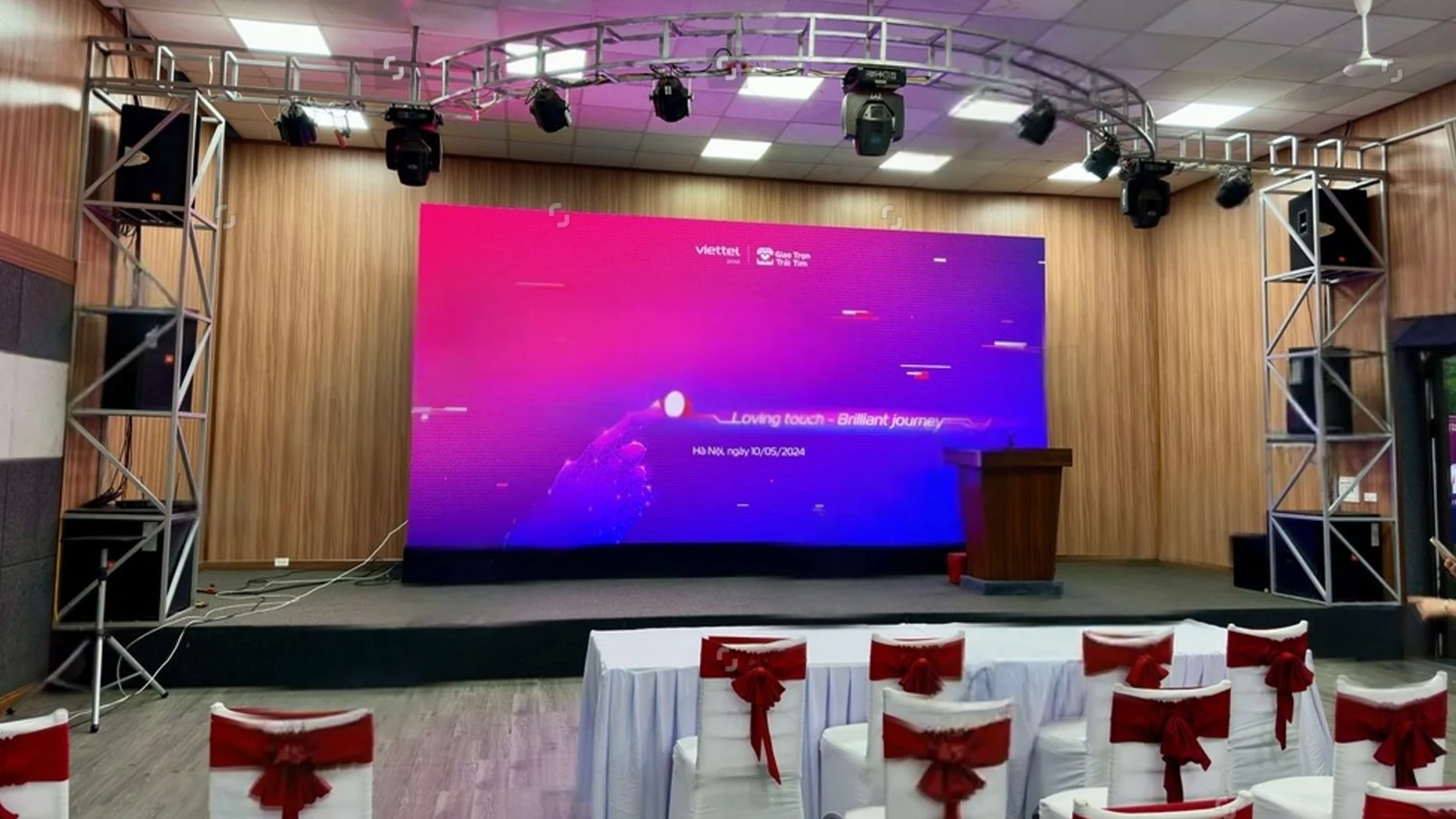
To book an LED wall, share the event basics: venue details (indoor/outdoor, space, lighting), audience size and viewing distance (for pixel pitch), content type, logistics (setup, power, duration), and the level of technical support you need. This helps the supplier quote accurately and avoid surprises.
You decide you want an LED wall for your event. You email a rental company and write something like: “Hi, we need an LED screen for our event. Please send a quote.”
Then the reply lands in your inbox with a list of questions… and you realise you don’t actually know half the answers.
This happens a lot. But you don’t need to be technical. You just need the right basic information so the rental company can choose the right LED wall, check that it will fit in your venue, and send a realistic price.
Below is a thorough, field-tested guide to the key information you should provide when booking an LED wall.
Why Giving The Right Information Matters
LED walls are not “one size fits all.” The right setup depends on:
- How big the room is
- How far do people sit from the screen
- Whether it’s indoors or outdoors
- How do you plan to use the screen (PowerPoint, video, live camera, etc)
All of these affect the screen size, pixel pitch/resolution, brightness, and rigging method that the rental company will suggest.
If the AV team gets incomplete information, you risk:
- A screen that’s too small or too big for the room.
- Poor readability for people at the back.
- Power or access problems on the day.
- Extra last-minute costs for extra kit or crew.
The more clearly you describe your event, the easier it is for them to design a setup that simply works.
Start With The Event Type And Your Goals
The rental company first needs to understand what the event is and what you want the screen to do.
Share:
- The event type
- Corporate conference.
- Product launch or trade show stand.
- Concert or live show.
- Wedding or private event.
- Outdoor screening or festival.
- The main goal of the LED wall
- Main stage backdrop for speakers.
- Big screen for videos and brand films.
- Sponsor logo loop.
- Live camera relay so people at the back can see.
- Outdoor public viewing screen.
Different events come with different visual priorities. For example, high-brightness screens may be required for outdoor daytime events, while indoor corporate events may prioritize fine pixel pitch for closer viewing and detailed content.
Rental companies use this information to recommend panel types, resolution, and setup strategy because a one-size-fits-all approach rarely works well for LED walls.
Event Basics Your LED Wall Company Needs
Next, share the simple but important details. Almost every LED wall quote starts here.
Share:
- Event date(s) and times
- Include the live show time and when the room is available for setup and breakdown (e.g., “Setup from 08:00, show 10:00–17:00, de-rig after 17:30”).
- Event duration
- One evening, one full day, or several days? Rental pricing often depends on how many days the wall is in use.
- Event type
- Conferences, product launches, exhibition stands, AGMs, award dinners, concerts, festivals, sports events.
- This helps the company picture the flow of the event and choose a layout that fits.
- Approximate schedule
- Let them know if there are rehearsals, walk-throughs, or multiple sessions where content changes.
These basics help them check availability, choose crew call times, and start thinking about an appropriate system.
Venue Details And Access Information
Your venue details are crucial logistics information to help them understand where the LED wall will live. Venue setup and access can seriously affect what’s possible.
Share:
- Venue name and full address
- Include the room name or hall number if it’s a big venue or conference centre.
- Indoor or outdoor
- Outdoor screens need higher brightness and weather-resistant panels; indoor screens use different LED tiles and don’t need to fight direct sunlight.
- Room layout and stage position
- A simple description helps: “Stage at short end of the room, audience in theatre style for 250 people” or “LED wall on a stand within a 3 m × 3 m exhibition stand at the back wall”.
- Ceiling height and available width
- If you know them, send rough measurements (e.g., “Ceiling height 4m, stage width 6m”). This lets them check if your desired wall size will fit.
- Load-in details
- Is there a loading bay?
- Are there stairs or a small lift only?
- How far is it from the loading point to the stage?
- Tight access can change how the wall is built and how long it takes.
- Venue rules and restrictions
- Any limits on rigging from the ceiling?
- Any noise curfews or exact times equipment must be out?
- Rules about fixing to walls or using certain power sockets?
Outdoor installations may require weather-proof and high-brightness LED panels to remain visible in direct sunlight, whereas indoor environments may allow panels with finer pixel spacing and standard brightness. You should also tell them if the venue has strict access windows for setup or restrictions on power draw.
A few lines of clear description here can save a lot of back-and-forth later.
Tell Them Your Audience Size And Viewing Distances
Another key consideration is who will view the screen and from how far away. Rental companies often ask:
- How many people will be watching?
- What is the estimated average and maximum viewing distance?
- How many people do you expect in the room or crowd?
- Roughly how far will the furthest person be from the screen (e.g., “about 25 metres” or “back of the ballroom”)?
- Role of the screen
- Is it the main stage backdrop?
- A side screen to relay IMAG (live camera of speakers)?
- A small screen on an exhibition stand?
- Preferred Size (If You Have One)
- If you already have an idea (e.g., “Around 5m wide by 3m high”), share it. They’ll adjust if needed.
These factors help determine pixel pitch. Behind the scenes, the AV company will match this info to pixel pitch and resolution. So, the image looks clean, not blocky, at the viewing distance you describe.
Some common examples:
- P1.5–P2.6: Very fine pitch, good for close indoor viewing, detailed slides, or small rooms.
- P3.9 and above: Common for larger rooms, stages, and many outdoor setups where viewers stand further back.
| A simple rule of thumb many suppliers use: Comfortable viewing distance (in metres) is roughly 2 to 3 times the pixel pitch (in mm). |
So for P3.9, a good minimum viewing distance is roughly 8 to 12 metres.
Giving realistic audience and distance numbers helps you avoid overspending on ultra-fine pitch, while still keeping the image clear enough for your crowd.
Providing accurate audience and distance estimates helps avoid overspending on overly fine pitch panels or underserving your event with a low-resolution wall.
Technical Requirements: Resolution, Brightness And Content
Once they know the room and audience, the next step is the size and shape of the LED wall.
Tell the rental company:
1. Type Of Content
- Static slides or presentations (PowerPoint, Keynote, Google Slides)
- Pre-recorded video (product videos, brand films, sponsor ads)
- Live camera feed (IMAG for speakers or performers)
- Remote or hybrid content (Zoom/Teams guests, remote presenters)
Different content types need different processing and sometimes extra equipment.
2. Aspect Ratio
If you know it, mention whether you want:
- Standard 16:9 (like a TV)
- A wider panoramic screen behind a stage
- A tall vertical wall for creative content or set design
If you don’t know, just say: “We’ll mostly use standard 16:9 content.”
3. Playback Source
Explain how you’ll send the content to the wall:
- Your laptop (Windows/Mac)
- A media player supplied by the rental company
- A vision mixer/switcher for multiple sources
- A streaming computer for hybrid events
If your laptop is involved, they may ask whether you’ll output via HDMI, DisplayPort, or USB-C, and what resolution you plan to send (e.g., 1080p/4K).
4. Indoor Vs Outdoor Brightness
The company needs to know if the screen must fight sunlight or just room lighting:
- Indoor LED walls usually use lower brightness but finer pixel pitch, ideal for conferences and indoor events.
- Outdoor LED walls need much higher brightness (measured in nits) to stay visible in daylight.
You don’t need to know the numbers; just be clear about whether it’s a bright outdoor setting or a controlled indoor space.
Clarify Power, Venue, Infrastructure, And Technical Constraints
LED walls use significant power and need safe support structures. The AV company will handle the details, but they need some basics from you.
Share:
- Power availability at the venue
- Do you know how many sockets are near the stage?
- Is there dedicated event power (like 32A, 63A) or only standard wall outlets?
- If you’re unsure, say so, and they can liaise with the venue.
- How the wall should be mounted
- Freestanding on ground-support truss or legs
- Flown/rigged from truss or ceiling points
- Built into a custom set or exhibition stand
- Any safety rules or sign-off requirements
- Some venues require their own technician to approve rigging and power.
- Others have strict rules on weight limits or where structures can be built.
Your role is to tell them what’s possible and what your venue contact has said. They’ll design something that fits within those boundaries.
Support, Crew And On-Site Operation
Next, be clear about who is pressing buttons on the day. Tell the rental company:
- Do you need a technician for the whole event?
- For conferences, award shows, or complex cues, most clients prefer to have the LED wall company provide an operator to handle content, playback, and any last-minute changes.
- Are you bringing your own operator?
- If your team will run content, they need to know what training or briefings may be useful, and how early they should arrive for tech checks.
- Do you need rehearsal time?
- If you plan to rehearse speeches, shows or performances, give them time windows so they can staff it properly.
Many rental guides recommend that first-timers include an on-site technician; it massively reduces risk during the event.
Budget, Quote And Extras
You don’t have to share an exact budget, but even a rough range helps the rental company offer realistic options instead of guessing.
Tell them:
- Approximate budget
- For example: “We’re hoping to keep the LED wall and operation under £X” or “We have a total AV budget of £Y, and the LED wall is a key part of that.”
- What do you expect the quote to include
- LED wall panels and structure
- Video processing and basic playback
- Delivery and collection
- Setup and teardown
- On-site technician/operator
- Any extras you may need
- Stage lighting
- Audio/PA system
- Microphones
- Confidence monitors for speakers
- Additional small screens in other rooms
Finally, ask the company to spell out what’s included and what might cause extra costs, like overtime, extra crew for tight turnarounds, night work, or parking/permits.
Simple Checklist To Send To The Rental Company
Here’s a simple template you can copy, paste, and tweak when you email or message an LED wall rental provider:
Event basics
- Event name and type:
- Event date(s):
- Event times:
- Set up and breakdown windows:
- Number of event days:
Venue details
- Venue name and full address:
- Room/hall name:
- Indoor or outdoor:
- Approx. Ceiling height and available width for the screen:
- Brief layout (stage location + audience size):
- Load-in info (loading bay, lift, stairs, distance to stage):
- Any venue rules/limits (rigging, noise, power, curfew):
Screen and viewing
- Role of the screen (main backdrop, side screen, exhibition stand, etc.):
- Preferred size (if any):
- Expected audience size:
- Furthest viewing distance (rough):
Content and playback
- Types of content (slides, video, live camera, remote):
- Standard 16:9 or custom aspect ratio?:
- Playback source (our laptop / your media server/vision mixer):
Power, rigging and safety
- Known power supply near stage (if any):
- Mounting preference (freestanding, flown, built into set):
- Any safety or sign-off requirements from the venue:
Support and budget
Do we need an on-site LED technician for the full event? Y/N
- Rehearsal time required:
- Rough budget range for LED wall and operation:
- Any other AV needs (audio, lighting, extra screens):
You can end with:
“Please recommend an LED wall size, pixel pitch and setup based on the details above and send an itemised quote.”
Make Your LED Wall Company Part Of Your Planning Team
You don’t need to know pixel pitch formulas or how LED processors work. That’s the rental company’s job.
Your job is to paint a clear picture of your event:
- Who will be watching?
- Where will they sit or stand?
- What do they need to see on the screen?
- Where will the wall live in the venue?
- How will the day run?
When you share that information early, the AV team can suggest the right LED wall, avoid technical surprises, and give you a quote that actually matches reality.
If you’re unsure about any detail, send the checklist anyway and say, “Here’s what we know so far. What else do you need from us?”
Planning an event and unsure what LED wall you need? Share your event details with our team, and we’ll recommend the right screen size, pixel pitch, and setup with a clear, itemised quote.
A short, focused conversation now is much easier than trying to fix the wrong screen on show day.
