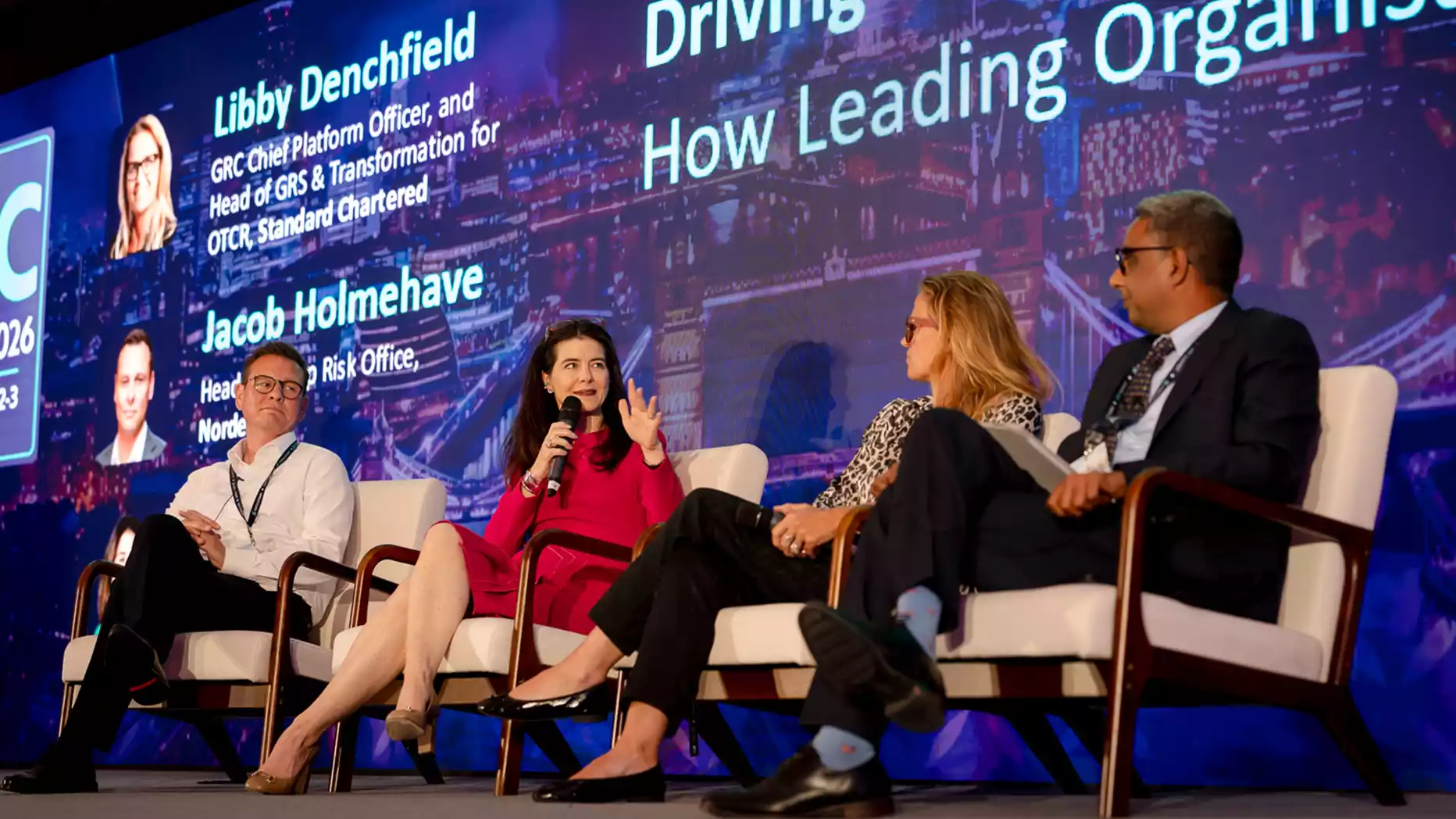
Corporate meeting audio should be planned at the same time as the LED wall and stage layout. Confirm presenter positions, audience depth, microphone requirements, loudspeaker locations, panel formats and hybrid connections before installation. Then test the system from representative audience positions, not only from front of house. If speech sounds loud but remains difficult to understand, increasing the PA level is unlikely to solve the underlying problem.
Speech intelligibility at corporate meetings depends on microphone pickup, room acoustics, signal-to-noise ratio, loudspeaker coverage and correct system configuration. A large LED screen does not inherently reduce speech clarity, but its size and position can influence stage geometry, presenter locations and the loudspeaker positions available to the audio team.
A presenter can be clearly visible on a large LED display while attendees at the back of the room still struggle to understand every word.
That is because visibility, loudness and speech intelligibility are separate parts of the event experience.
An LED wall handles visual information such as presentations, graphics and camera feeds. The audio system must capture spoken information and deliver it across the audience area without excessive interference from room noise, reflections or feedback.
A large LED wall does not cause poor speech intelligibility. Its dimensions can, however, affect the wider stage geometry by limiting available loudspeaker positions, changing presenter locations and influencing how the sound system can be aimed across the audience.
For corporate meetings using LED video walls for conferences, the audio and display layouts should therefore be planned together rather than treated as two unrelated technical requirements.
What Determines Speech Intelligibility at a Corporate Meeting?
Speech intelligibility describes how clearly listeners can understand spoken words, not simply how loud those words are.
The main factors include:
- Microphone pickup.
- Signal-to-noise ratio.
- Room reverberation.
- Loudspeaker coverage.
- Presenter position.
- Loudspeaker-to-microphone relationship.
- System gain.
- Audio processing.
A voice can be loud enough in the room and still sound unclear. Excessive reflections may smear speech detail, poor microphone placement may capture too much room noise, and uneven loudspeaker coverage may leave some audience areas receiving weaker direct sound than others.
Objective methods such as the Speech Transmission Index (STI) and STIPA can be used to assess speech transmission quality in suitable applications. However, event organisers do not normally need to calculate these measurements themselves.
The practical questions are simpler:
- Can attendees understand the presenter at the front, middle and rear of the room?
- Is speech clear without excessive PA level?
- Does the system remain stable when several microphones are active?
- Are background noise and reflections interfering with quieter speech?
- Can the audience understand panel discussions and Q&A as easily as keynote presentations?
Those questions should be answered during system setup and rehearsal.
How Do Room Acoustics Affect Speech Clarity?
Room acoustics affect how much direct speech reaches the audience compared with reflected sound.
Hard walls, glazed surfaces, high ceilings and reflective floors can cause sound to remain in the room after the original word has been spoken. When those reflections become excessive, parts of one word can overlap with the next.
That makes speech harder to understand.
Corporate meeting spaces can present very different acoustic conditions. A hotel ballroom may have high ceilings and large decorative surfaces. A conference suite may contain glass walls. Temporary event venues may have limited acoustic treatment.
Background noise also affects intelligibility.
Common sources include:
- HVAC systems.
- Audience conversation.
- Catering activity.
- Equipment noise.
- Movement around the room.
- Noise from adjoining spaces.
The presenter’s voice needs to remain sufficiently distinct from this background activity.
Which Microphones Improve Speech Intelligibility?
The microphone should match the presenter position, movement, meeting format and acoustic conditions.
There is no single microphone type that is best for every corporate meeting.
| Meeting Situation | Suitable Microphone Approach | Main Consideration |
| Keynote presenter | Lavalier or headset | Movement and consistent pickup |
| Lectern presentation | Gooseneck microphone | Fixed speaking position |
| Panel discussion | Individual gooseneck or lavalier microphones | Multiple active channels |
| Audience Q&A | Wireless handheld microphone | Controlled close pickup |
| Hybrid meeting | Suitable close microphones or array system | Remote audio and AEC requirements |
- Lavalier Microphones
A lavalier microphone allows the presenter to move freely without holding equipment.
Its performance still depends on placement. A microphone clipped too low or covered by clothing may capture speech less consistently.
- Headset Microphones
A headset keeps the microphone capsule close to the presenter’s mouth as they move or turn their head.
This can provide more consistent pickup and may improve available gain before feedback.
- Gooseneck Microphones
Gooseneck microphones work well for lecterns, formal presentations, and seated panel positions where the talker remains relatively fixed.
The microphone still needs to be positioned close enough to capture speech effectively.
- Handheld Microphones
Wireless handheld microphones work particularly well for audience Q&A because they allow controlled close-mic pickup.
They also give the audio operator a more predictable source level before the question is reinforced in the room or sent to remote participants.
The basic principle is simple: reducing unnecessary distance between the talker and microphone generally improves the ratio between useful speech and unwanted room sound.
Where Should Loudspeakers Be Positioned Around a Large LED Screen?
Loudspeakers should be positioned according to audience coverage, stage geometry, microphone locations and the dispersion characteristics of the loudspeaker system.
There is no universal rule that speakers must be positioned directly beside an LED wall.
A large central LED backdrop may occupy much of the available stage width. The audio team may therefore need to consider:
- Main left and right loudspeaker positions.
- Loudspeaker height.
- Loudspeaker aiming.
- Front fills.
- Distributed loudspeakers.
- Delay loudspeakers.
- Presenter microphone positions.
- Stage access.
- Audience sightlines.
- Camera positions.
The objective is consistent speech coverage across the audience, not the maximum sound level near the stage.
If attendees in the first few rows receive excessive level while people at the rear still struggle to understand the presenter, the system may have a coverage problem rather than a lack of amplifier power.
Screen dimensions and the wider corporate stage layout should therefore be confirmed before final loudspeaker positions are agreed. A wide LED backdrop can change the available positions for the main PA, front fills, presenters, and camera lines.
For longer rooms, a distributed or delayed loudspeaker system may provide more consistent coverage than relying on greater output from the front of the room.
Any delay loudspeakers must also be aligned correctly with the main system so listeners do not hear distracting timing differences between sources.
Why Does Gain-Before-Feedback Matter?
Gain-before-feedback is the amount of usable microphone gain available before sound from the loudspeakers re-enters an open microphone and creates acoustic feedback.
Several factors influence it:
- Microphone distance from the talker.
- Microphone polar pattern.
- Loudspeaker position.
- Number of active microphones.
- Room reflections.
- System gain.
- Audio processing.
Imagine a panellist positioned too far from a microphone.
To make that person loud enough, the operator may need to increase microphone gain. Increasing microphone gain amplifies both the presenter’s voice and the unwanted room sound picked up by the microphone, reducing the available margin before feedback.
Panel discussions can make this more difficult because several microphones may be active at once.
Shure’s guidance on reducing audio feedback highlights microphone placement, microphone-to-loudspeaker distance and the management of open microphones as key considerations.
Increasing the master PA volume is therefore not the first solution to unclear speech.
The source of the problem should be identified first.
How Can DSP Improve Speech Clarity?
A digital signal processor, or DSP, manages and processes audio signals within the system.
Depending on the corporate meeting setup, DSP functions may include:
- Input gain.
- Signal routing.
- Equalisation.
- Dynamics processing.
- Delay.
- Automatic microphone mixing.
- Feedback management.
- Acoustic echo cancellation.
Automatic mixing, or automixing, can be useful during panel discussions because unused microphone channels can be reduced automatically instead of remaining fully open.
This helps limit unnecessary room pickup.
For hybrid meetings, acoustic echo cancellation (AEC) is also important. It helps prevent audio played through room loudspeakers from being picked up by local microphones and returned to remote participants as echo.
DSP has limits, though.
It cannot fully correct:
- Poor microphone placement.
- Severe reverberation.
- Incorrect loudspeaker aiming.
- Inadequate loudspeaker coverage.
- Poor stage geometry.
EQ should therefore not be treated as a universal fix for speech intelligibility.
How Should Audio Be Planned for Panels and Q&A Sessions?
Panel discussions require more active microphone management than a single-presenter keynote.
A typical panel may include:
- Four panellist microphones.
- One moderator microphone.
- One or more audience Q&A microphones.
Every open microphone adds some room sound to the audio system.
Leaving several unused microphones fully open can reduce gain before feedback and make the overall mix less controlled.
The operator should therefore manage inactive channels or, where appropriate, use correctly configured automixing.
Audience Q&A needs similar planning.
If questions need to be heard by both the in-room audience and remote attendees, the Q&A microphone must be routed correctly to both destinations.
This should be tested before the session rather than discovered when the first audience question begins.
How Do Hybrid Meetings Change Speech Intelligibility Requirements?
Hybrid meetings create two separate listening requirements.
People in the venue need clear local speech reinforcement, while remote participants need a suitable microphone feed from the room.
The in-room reinforcement mix and the audio feed sent to remote participants may therefore require different routing and processing.
A hybrid setup may include:
- Presenter microphones.
- Audience Q&A feeds.
- Remote contributor audio.
- Acoustic echo cancellation.
- Mix-minus routing where required.
- Room loudspeakers.
- Conferencing platforms.
- Playback sources.
Remote participant audio also needs to return to the room without creating echo or disrupting the local presentation.
The complete path should be tested using an actual remote connection before attendees arrive.
What Should Be Tested Before the Meeting Starts?
A soundcheck should test the complete speech system, not individual pieces of equipment in isolation.
Checks should include:
- Every presenter microphone.
- Moderator and panel microphones.
- Audience Q&A microphones.
- Embedded presentation audio.
- Video playback audio.
- Remote contributor audio.
- Loudspeaker coverage.
- Feedback margin.
- Muting and routing.
- Wireless microphone battery condition.
- Backup microphones.
- Audio and video source transitions.
Coverage should also be checked from representative audience positions.
The system may sound correct at front of house while a side seating area or rear section receives less useful direct sound.
The audio technician should therefore listen from the front, middle and rear of the intended audience area where practical.
The rehearsal should also use the real presentation workflow.
A technically correct microphone may behave differently when a presenter turns away, moves across the stage or speaks much more quietly than the person who carried out the initial soundcheck.
What Should Organisers Confirm With the AV Team Before Event Day?
The AV team needs enough information to coordinate the sound system with the screen, stage and audience layout before equipment arrives.
Confirm:
- Number of presenters.
- Panel size.
- Audience capacity.
- Q&A requirements.
- Room dimensions.
- LED wall dimensions.
- Stage dimensions.
- Audience layout.
- Presenter movement.
- Hybrid requirements.
- Playback audio.
- Venue sound restrictions.
- Existing house PA equipment.
- Technical rehearsal time.
- Onsite audio operator requirements.
When booking an LED wall, room dimensions, audience distance, stage position and planned content should be confirmed alongside the audio requirements.
This gives the technical team an opportunity to coordinate screen width, presenter locations and suitable loudspeaker positions before the stage plan is finalised.
Leaving the sound-system layout until after the LED wall and staging positions are fixed can unnecessarily restrict the audio design.
Common Causes of Poor Speech Intelligibility at Corporate Meetings
- Microphones Too Far From Presenters
A distant microphone captures more room sound relative to the presenter’s voice.
Correction: Choose a suitable microphone type and keep it within an effective pickup distance.
- Loudspeakers Aimed Poorly Across the Audience
Excessive level in one section of the room does not compensate for weak coverage elsewhere.
Correction: Plan loudspeaker aiming around the width and depth of the audience rather than relying on front-of-room volume.
- Too Many Open Microphones
Unused microphones add room pickup and can reduce available gain before feedback.
Correction: Mute unused channels or use appropriately configured automixing.
- Excessive Room Reverberation
Strong reflections can reduce speech detail even when the system has sufficient output.
Correction: Assess the room early and consider acoustic treatment, loudspeaker placement and methods that increase useful direct sound.
- Background Noise Competing With Speech
HVAC systems, catering activity and audience noise can mask quieter speech.
Correction: Identify avoidable noise sources and maintain adequate speech level above the background environment.
- Increasing Volume Instead of Fixing Coverage
More level can increase reflections and feedback risk without solving an uneven coverage problem.
Correction: Check microphone pickup, loudspeaker aiming and audience coverage before increasing system output.
- Screen and Audio Layout Planned Separately
A wide LED wall can restrict useful loudspeaker and presenter positions.
Correction: Plan the display, sound system, stage and audience layout together.
- Skipping the Full-Room Soundcheck
A system that sounds good at the front-of-house (FOH) mixing position may not provide the same clarity elsewhere.
Correction: Check speech from representative seating positions before the meeting begins.
Speech Intelligibility Troubleshooting Guide
| Problem | Likely Cause | What the AV Team Should Check |
| Speech is loud but unclear | Excessive reflections or poor coverage | Room acoustics, loudspeaker aiming and signal-to-noise ratio |
| Feedback occurs during panels | Excessive gain or too many open microphones | Microphone positions, loudspeaker positions and automixing |
| Rear audience cannot understand speech | Insufficient loudspeaker coverage | Main-system dispersion, fills or delay loudspeakers |
| Remote attendees hear echo | Conferencing audio-path problem | AEC and remote audio routing |
| Presenter sounds distant | Poor microphone pickup | Microphone type, placement and mouth-to-mic distance |
| One seating area sounds much louder | Uneven system coverage | Loudspeaker aiming and distribution |
Conclusion
Speech intelligibility should be treated as a system-design requirement, not simply a question of how powerful the PA system is.
The microphone must capture the presenter’s voice effectively. Loudspeakers need to provide consistent coverage across the audience. Room reflections and background noise must be considered, and the system needs enough gain before feedback to operate reliably during keynotes, panels and audience Q&A.
A large LED wall adds another planning variable because its dimensions can influence stage geometry, presenter positions and the space available for loudspeakers. Coordinating the LED display, audio system and stage layout early gives the technical team more control over those relationships before the room is built.
The most useful question before doors open is therefore not “Is the PA loud enough?” It is “Can every attendee understand the presenter clearly from their seat?”
If you are planning a corporate meeting in London and need the LED screen, microphones, PA system and onsite AV support coordinated as one technical setup, LED Video Wall-Hire can help assess the requirements for your venue and event format. Call 0207 177 4075 or request a no-obligation quote.
FAQs
What Is Good Speech Intelligibility at a Corporate Meeting?
Good speech intelligibility means attendees can understand spoken information consistently across the intended audience area without having to strain. Professional systems may also be evaluated using measurements such as STI or STIPA, but suitable performance should be determined according to the venue and application rather than relying on one arbitrary figure.
Why Can Speech Sound Loud but Still Be Difficult to Understand?
A voice can have sufficient volume while reflections, background noise or uneven loudspeaker coverage mask important speech detail. Increasing level does not remove those problems and may increase room reflections or feedback risk.
Is a Lavalier or Headset Microphone Better for a Keynote Presenter?
Both can work. A lavalier provides hands-free operation with minimal visual impact, while a headset maintains a more consistent microphone-to-mouth distance. The suitable choice depends on presenter movement, room acoustics, loudspeaker positions and the required gain before feedback.
How Many Microphones Are Needed for a Corporate Panel Discussion?
Each panellist and moderator normally needs reliable access to a microphone if they are expected to contribute freely. The audio system must then manage the active channels carefully because several open microphones can increase room pickup and reduce feedback margin.
Can Loudspeakers Be Positioned Behind an LED Screen?
Not as a general rule. Conventional LED cabinets are not acoustically transparent like specialised perforated projection surfaces. Loudspeakers are therefore normally positioned around or independently of the LED wall unless the complete system has been engineered specifically for another arrangement.
Why Does a Corporate Meeting PA System Feed Back?
Feedback occurs when amplified loudspeaker sound re-enters an open microphone and is amplified again. Microphone placement, loudspeaker position, room acoustics, system gain and the number of active microphones all influence the available feedback margin.
Do Hybrid Meetings Need Acoustic Echo Cancellation?
AEC is commonly required where remote participant audio is played through room loudspeakers while local microphones remain active. It helps prevent that loudspeaker audio from being returned to remote participants as an echo.
Should Audio Be Tested From the Back of the Meeting Room?
Yes. Testing from several audience positions helps identify uneven coverage that may not be obvious from the front-of-house position. Rear and side seating areas should receive intelligible speech without requiring excessive level at the front.
